How to Play Minecraft Bedrock on MacBook: Full Setup Guide
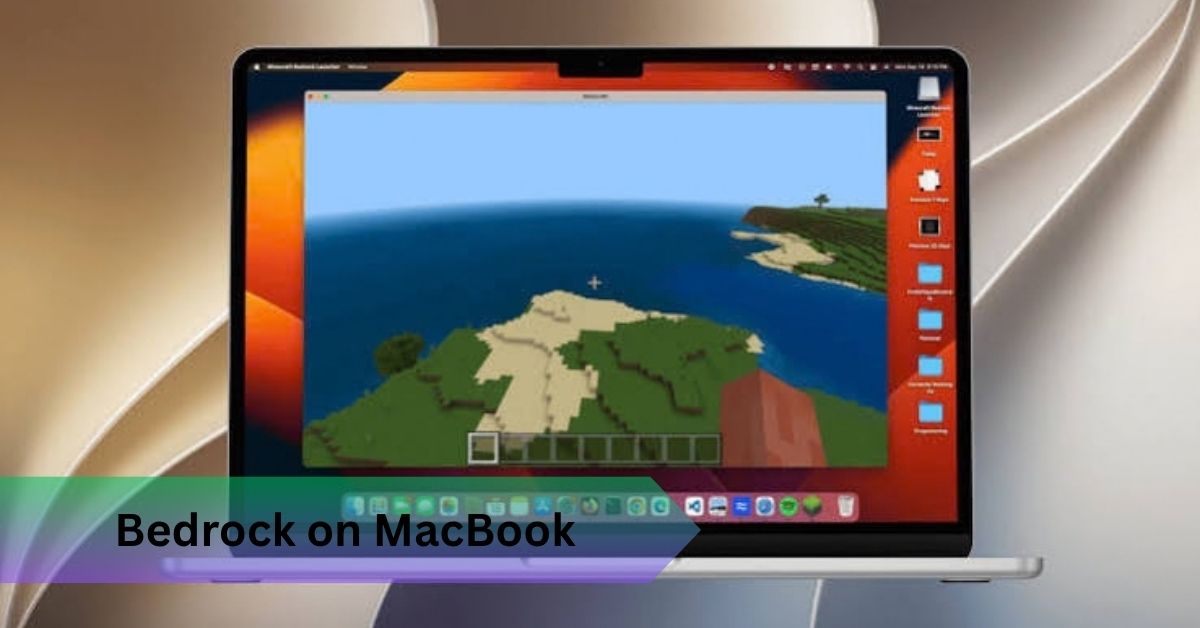
There’s no official Minecraft Bedrock Edition client for macOS, so if you’re wondering how to play minecraft bedrock on macbook, the real path runs through a Windows virtual machine using software like Parallels Desktop, since Bedrock only ships natively for Windows, console, and mobile. Java Edition installs directly on your Mac with zero workarounds needed, and remains the simpler, fully native option for anyone who doesn’t specifically need Bedrock’s cross platform multiplayer.
Can You Play Minecraft on a Mac?
Minecraft Java Edition runs natively on macOS with full official support through the Minecraft Launcher. Bedrock Edition doesn’t offer a native Mac build at all, which surprises players coming from Windows or console.
Any MacBook from the last several years handles Java Edition comfortably, including a base model MacBook Air, and answering can a macbook run minecraft directly, older Intel Macs work too with more conservative settings. Java Edition also runs natively on Apple Silicon through M1, M2, M3, and M4 chips, generally performing better than it did on comparable Intel models thanks to Apple’s chip efficiency. That native Apple Silicon support is honestly the single biggest quality of life improvement Mac players have gotten in years.
You’ll need a Microsoft account tied to a valid Minecraft license and a stable connection for the initial download. Minecraft requires a one time purchase regardless of platform, with no separate Mac pricing.
Installing Java Edition on Mac
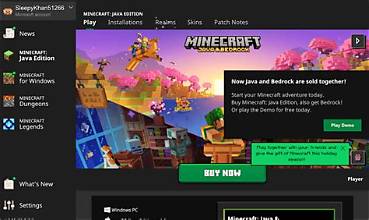
Download the installer from Minecraft.net rather than a third party mirror, drag the Minecraft Launcher into Applications, and sign in with your Microsoft account. If you bought the game years ago under an older Mojang account, you may need to migrate it first through Microsoft’s account page.
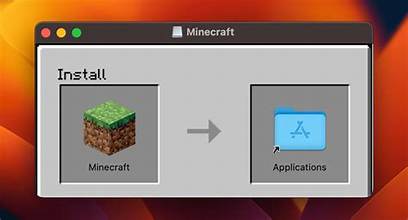
The launcher handles Java Edition installation automatically, bundling its own Java runtime so you don’t need to install Java separately. From the main menu, select Singleplayer to generate a world or Multiplayer to join one using a server address. The launcher checks for updates every time you open it, so manual updating is rarely needed.
Java vs Bedrock on Mac
| Feature | Java Edition | Bedrock Edition |
| Native macOS support | Yes | No |
| Cross platform multiplayer | Java only | Windows, console, mobile |
| Mod support | Forge, Fabric, full mod loaders | Marketplace add ons only |
| Shader flexibility | Extensive, OptiFine and Sodium | Limited to official add ons |
| Performance on older hardware | Generally lighter | Varies by platform |
Java Edition is the only one with genuine official Mac support, so anything involving Bedrock on a Mac routes through a workaround. Bedrock connects players across Windows, console, and mobile through unified cross platform multiplayer, which is exactly why players end up needing it, usually because a friend on Xbox or a sibling on a phone can’t join a Java world. Java supports real mod loaders like Forge and Fabric plus performance tools like OptiFine and Sodium, while Bedrock sticks to official Marketplace add ons in exchange for a more locked down, stable experience.
If you’re building solo or with other Java users, stick with Java and skip the extra complexity. If cross platform play with Xbox, PlayStation, Switch, or mobile friends is the actual requirement, Bedrock through virtualization becomes worth the setup time.
Playing Bedrock Edition on a Mac
Bedrock was built specifically for Windows, console, and mobile, and Mojang has never released a native macOS build, a platform decision rather than a technical impossibility. Running a full Windows environment inside macOS through virtualization lets you install and play the genuine Windows version of Bedrock exactly as on a physical PC.
Parallels Desktop, particularly the Pro tier for gaming, creates a Windows 11 virtual machine inside macOS. Install Parallels, run its setup wizard for Windows 11, and allocate enough RAM to the virtual machine before installing anything else, four gigabytes is the bare minimum, eight feels noticeably smoother. Once Windows is running, open the Microsoft Store or Xbox app, sign in, and install Minecraft for Windows the standard way.
Give the virtual machine dedicated RAM rather than automatic allocation, disable unnecessary background Windows services, and lower Minecraft’s video settings before judging performance. Ray tracing and RTX features generally won’t perform well inside a virtual machine, since GPU passthrough for advanced graphics remains limited on Mac virtualization software, and battery life drops noticeably faster running a Windows VM than native Java, something most guides don’t mention. Virtualization is honestly only worth it if cross platform play with Bedrock friends is a genuine requirement rather than a nice extra.
Improving Minecraft Performance on Mac
Lowering graphics from Fancy to Fast typically adds ten to fifteen extra frames per second on older hardware. A render distance around eight to ten chunks balances visibility and performance on most Macs, while pushing toward sixteen or higher demands considerably more. Reducing simulation distance matters more for FPS stability than most players realize, especially on busy multiplayer servers.
Running fullscreen rather than windowed improves performance slightly, and closing memory heavy background apps like Chrome frees resources that genuinely matter on 8GB base configuration MacBooks. Keep macOS and the launcher updated to avoid driver related stutter, and use Activity Monitor to distinguish an actual hardware bottleneck from a settings problem. Sodium and OptiFine can meaningfully improve frame rate, sometimes doubling FPS on older Intel Macs according to community benchmarks, installed through Fabric or Forge.
Fixing Common Problems
If Minecraft won’t launch, reinstall from Minecraft.net and confirm your macOS version meets the minimum requirement. Low FPS usually resolves by lowering render distance and graphics settings. Stutter often traces back to insufficient RAM allocated to Java, fixable by adjusting Java arguments in the launcher’s installation settings on machines with 16GB or more RAM.
If multiplayer won’t connect, confirm the server address and port, and check that your router isn’t blocking relevant ports. Graphics glitches usually mean outdated drivers or a mismatched Sodium or OptiFine version. Reinstalling the launcher clears most corrupted installations.
Multiplayer on Mac
Java to Java multiplayer works exactly the same on Mac as Windows or Linux. Paste a server address into the Multiplayer menu, or join automatically through the Local Network tab when another player on the same network has a world open.
Java Edition players cannot directly join Bedrock worlds, and Bedrock players cannot join Java worlds, without a third-party bridge, since the two editions run on fundamentally different codebases. Realms works independently for both editions; a Java Realms subscription only connects Java players, and a Bedrock one only connects Bedrock players. One Minecraft license covers Java fully, and Bedrock separately through the Microsoft Store if you go that route, but multiplayer itself never requires an extra purchase.
Best Settings by Mac Type
Older Intel Macs do best on Fast graphics, a render distance around six to eight chunks, and no resource packs unless specifically optimized. Apple Silicon Macs handle Fancy graphics and ten to twelve chunk render distance comfortably, with headroom for lightweight shaders. For the highest FPS, combine Fast graphics, reduced render and simulation distance, and fullscreen mode together rather than adjusting one setting alone. Java Edition on Mac supports keyboard and mouse natively, and most Bluetooth controllers work through third party mapping tools, though native controller support is noticeably better on Bedrock’s supported platforms.
Frequently Asked Questions
Can you play Minecraft on a MacBook?
Yes, Java Edition runs natively on any recent MacBook, and can macbooks run minecraft comfortably even on a base model MacBook Air.
Can you play Minecraft Bedrock Edition on Mac?
Not natively. Playing can you play bedrock minecraft on mac requires running Windows through virtualization software like Parallels Desktop.
Is Minecraft different on Mac compared with Windows?
Java Edition behaves identically on both platforms, while Bedrock only exists on Windows natively, which is the core confusion behind can I play minecraft on a mac.
Does Minecraft work on M1, M2, M3, and M4 Macs?
Yes, so can mac run minecraft well in general? Java Edition runs natively across every Apple Silicon generation, generally with better efficiency than older Intel models.
Why is Minecraft lagging on my Mac?
Usually render distance, graphics settings, or insufficient RAM allocated through Java arguments.
Can Mac players play with Windows and console players?
Only through Bedrock’s cross platform multiplayer, since Java Edition on Mac can’t connect to Bedrock worlds.
Conclusion
Whether you’re asking can u play minecraft on mac out of curiosity or specifically figuring out how to play minecraft bedrock on macbook for friends scattered across consoles and phones, the path is clear. Start with Java Edition since it just works natively, and only set up a Windows virtual machine if Bedrock’s cross platform reach is something you genuinely need.
Recommended Articles
How to Mine in Minecraft: Quick Guide to Ores, Depth & Safety
What Do You Do in Minecraft? Your First Day Survival Guide
Minecraft Online: How to Play With Friends, Multiplayer Options & Safety Guide
How Do You Jump in Minecraft? Distance, Height & Movement Guide