
How Do You Jump in Minecraft? Distance, Height & Movement Guide
Quick Answer
How do you jump in Minecraft? Press the spacebar on PC, A on Xbox, X on PlayStation, or the jump button on mobile, and your player rises roughly 1.25 blocks, enough to clear a single full block. Where it gets interesting is horizontal distance: a standing jump barely covers one block, a walking jump clears a two block gap, and a sprint jump in Java Edition clears a four block gap. With Speed II layered on top, five blocks becomes possible.
Most players learn the spacebar in their first ten seconds and then spend the next two hundred hours quietly guessing at everything else. Can you make that gap? Is it four blocks or five? Why did that jump work yesterday and fail today from what looked like the same spot?
Here’s what most guides miss: almost every failed parkour jump comes down to one of three things, and none of them is reaction time. It’s your takeoff point relative to the block edge, whether your sprint actually registered before you left the ground, and whether you understand that your hitbox is narrower than the block you’re standing on. Let’s fix all three.
How Far Can You Jump in Minecraft?
Distance is the number everyone actually wants, and it changes more than you’d expect based on what you were doing a half second before takeoff.
What is the maximum distance a player can jump?
In Java Edition, a flat sprint jump reliably clears a four block gap, meaning four air blocks between your takeoff block and your landing block. Add Speed II from a potion or the /effect command and a five block gap becomes consistently achievable. Stack momentum tricks (more on those later) and experienced parkour players push beyond that, though those setups are situational rather than something you’ll hit by accident.
How does Minecraft’s normal jump work?
Your player launches upward with a fixed initial vertical velocity, then gravity pulls you back down along a parabolic trajectory. Vertical movement peaks at roughly 1.25 blocks above your starting surface. Horizontal movement during that arc comes entirely from the momentum you carried into the jump, since Minecraft gives you no forward thrust from the jump itself.
That single fact explains most missed jumps. Jumping doesn’t propel you forward. It just keeps you airborne long enough for your existing horizontal velocity to carry you somewhere.
How many blocks can you clear with a standard jump?
A standing jump from zero movement speed barely clears one block of horizontal distance. Walking forward and jumping clears a two-block gap comfortably. Sprint jumping gets you to four. Each tier maps directly to movement speed at the moment your feet leave the surface.
Does sprinting increase your jump distance?
Substantially, yes. Sprinting raises your movement speed by roughly thirty percent over walking, and because horizontal distance in a jump is a direct function of that speed, the effect compounds across the full jump arc. A sprint jump roughly doubles what a walking jump achieves.
How does movement speed affect jumping?
Linearly, more or less. Faster horizontal momentum at takeoff means more horizontal distance covered before gravity brings you down. Speed effects, whether from potions or commands, feed directly into this equation, which is why Speed II is the difference between a four block gap and a five block gap.
Understanding the arc is one thing; understanding why the same jump sometimes fails is another.
How Does Jumping Work in Minecraft?
The mechanics underneath jumping are more precise than they feel, and that precision is exactly what you can exploit.
How high can you jump without effects?
Roughly 1.25 blocks. That clearance lets you step up onto any single full block, which is why you can jump onto a dirt block but not onto a two block wall. Jump height stays fixed regardless of whether you’re walking, sprinting, or standing still; sprinting affects distance, never height.
How far can you jump while sprinting?
Four blocks of air gap on flat ground in Java Edition, assuming you take off from the very edge of your block and land on the near edge of the target. That word “edge” is doing enormous work in that sentence.
What role does momentum play?
Momentum preservation is the single most underrated mechanic in Minecraft movement. Your horizontal velocity carries through the entire airborne phase, and it also carries across consecutive jumps if you chain them without stopping. Landing and immediately jumping again preserves most of your speed. Landing, pausing for even a few ticks, and then jumping resets you to a much weaker launch.
How do block edges and gaps affect a jump?
Your player hitbox measures 0.6 blocks wide by 1.8 blocks tall, which is narrower than the full block you stand on. That means your hitbox can overhang a block edge slightly without you falling, effectively giving you a fractionally longer takeoff point than the block boundary suggests. This hitbox overhang is why pixel perfect parkour players stand slightly past what looks like the edge before jumping, and it’s the mechanic most tutorials skip entirely.
Why do some jumps feel longer or shorter?
Because they genuinely are, depending on elevation. Jumping down to a lower landing surface gives gravity more time to work, so your horizontal reach extends. Jumping up to an elevated landing cuts your effective distance considerably, since you reach the target height well before the peak of your natural arc. A four block gap on flat ground becomes a much harder proposition when the landing block sits one block higher.
With the mechanics clear, here’s how to actually execute the longest normal jump consistently.
How to Make the Longest Normal Jump
Consistency beats luck, and the difference is almost entirely in setup rather than timing.
Step 1: Build a test area with measured gaps
Create a flat platform with gaps of exactly two, three, four, and five blocks. Count air blocks, not total blocks, since that’s the measurement that actually matters and the one most players get wrong when describing a jump.
Step 2: Get enough space for a running start
Sprinting takes a moment to reach full movement speed. Give yourself at least four or five blocks of runway before the edge, since starting your sprint two blocks out means you take off at partial speed.
Step 3: Sprint toward the edge
Double tap your forward key or hold the dedicated sprint key. Confirm the field of view shift that indicates sprinting is active, since a sprint that didn’t register is the most common cause of a four block gap failure.
Step 4: Jump at the correct timing
Press jump on the final tick before leaving the block, using that hitbox overhang to your advantage. Jumping too early wastes horizontal distance; waiting until you’ve already stepped off means you fall without a jump arc at all.
Step 5: Control your movement while airborne
Keep holding forward. Releasing your movement key mid air reduces air control and can shorten your effective landing distance slightly.
Step 6: Measure the landing distance
Check your coordinates before and after using the F3 debug screen in Java Edition. Comparing your X and Z values gives you real numbers rather than eyeballed guesses.
Common mistakes that cause missed jumps
- Sprinting didn’t activate before takeoff
- Jumping from the middle of the block instead of the edge
- Insufficient runway to reach full movement speed
- Releasing the forward key mid air
- Counting total blocks instead of air gap blocks
- Attempting a flat jump distance when the landing is elevated
Terrain changes all of this, sometimes dramatically.
What Blocks and Terrain Can You Jump Across?
Block choice around a jump matters as much as the jump itself, and a few block types genuinely break the normal rules.
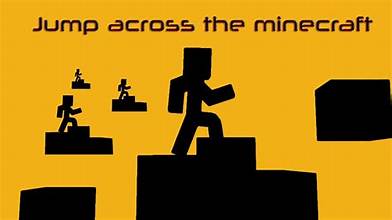
Jumping across one block and multi block gaps
One and two block gaps need nothing more than a walking jump. Three blocks requires sprinting or a well timed walking jump with a slight elevation drop. Four demands a clean sprint jump. Five demands either Speed II or a momentum trick.
How slabs and stairs change jump height
Slabs and stairs sit at half block heights, which lets you step up without jumping at all. That’s genuinely useful in parkour courses, since a slab staircase preserves your sprint momentum where a full block jump would interrupt it.
Jumping over fences, walls, and other obstacles
Fences and walls have a collision height of 1.5 blocks despite appearing 1 block tall, specifically to stop mobs and players from hopping over them. You cannot clear a fence with a normal jump, which is the entire point of building one around your farm.
Can you jump across uneven terrain?
Yes, and downward jumps are your friend here. Dropping even one block of elevation meaningfully extends horizontal reach. Watch your falling distance, though: fall damage begins above three blocks of drop, costing roughly half a heart per additional block beyond that threshold.
How ice and slippery blocks affect movement
Packed ice and regular ice dramatically reduce friction, letting you build and retain far more horizontal momentum than normal blocks allow. A sprint across packed ice into a jump reaches distances that are simply impossible from stone or dirt. Blue ice is the most slippery of the three.
How trapdoors, carpets, and other thin blocks affect jumps
Open trapdoors and snow layers create partial height surfaces that change your takeoff elevation in fractions of a block, which experienced parkour builders use to make jumps subtly easier or harder. Carpets add a very slight elevation without blocking movement.
Terrain aside, potions and effects reshape the math entirely.
Which Effects and Items Increase Jump Distance or Height?
Effects are where jump limits stop being fixed numbers and start being variables you control.
How Jump Boost changes vertical movement
Jump Boost raises your jump height by roughly half a block per level. At Jump Boost II you can clear a two block wall, and at higher levels the vertical gains get dramatic. Worth knowing: Jump Boost also reduces fall damage proportionally, since the game accounts for your enhanced jump height when calculating falling distance.
Can Jump Boost increase the distance you can clear?
Indirectly, yes, and this surprises people. Higher jumps mean longer airtime, and longer airtime means your existing horizontal momentum carries you further. Jump Boost isn’t a horizontal effect, but the extra time aloft produces real horizontal gains.
How Speed effects influence running jumps
Directly and significantly. Speed I and Speed II both increase movement speed, feeding straight into your takeoff velocity. Speed II plus a sprint jump is the standard method for clearing a five block gap, and it’s the most reliable distance upgrade available without terrain tricks.
Can potions help you make difficult jumps?
Absolutely. Potions of Swiftness supply the Speed effect, and Jump Boost comes from rabbit foot brewed potions or a beacon’s secondary power. For testing in creative mode, the /effect command applies either instantly without the brewing overhead.
How armor, food, and equipment affect movement
Standard armor doesn’t slow you down in Minecraft, unlike many games. Soul Speed enchanted boots increase your speed on soul sand and soul soil. Depleted hunger below six points removes your ability to sprint entirely, which quietly ruins more parkour attempts than most players realize.
Special movement mechanics that can extend a jump
Headhitters, where a two block ceiling clips your jump arc short, sound like a limitation but actually preserve horizontal momentum in specific parkour setups. Combining a headhitter with an ice runway produces some of the longest jumps achievable without commands.
Edition differences complicate every number above, so let’s address that directly.
How Do Different Minecraft Editions Affect Jumping?
This is where a lot of online advice goes wrong, since players quote Java numbers to Bedrock players and vice versa.

Java Edition versus Bedrock Edition movement
Java Edition and Bedrock Edition run separate movement codebases, and the differences show up most in momentum handling and sprint mechanics. Bedrock’s sprint jumping behaves slightly differently, and players moving between editions consistently report that parkour muscle memory doesn’t transfer cleanly.
Are jump distances identical across editions?
Not exactly. Base jump height is effectively the same at around 1.25 blocks, but maximum sprint jump distances and the reliability of edge case jumps differ enough that a course built and tested in Java may not play identically in Bedrock. If you’re building parkour for other players, test it in the edition they’ll actually play it in, since assuming parity is how unbeatable courses get published.
How Minecraft versions can change movement mechanics
Mojang has adjusted movement and collision behavior across updates over the years. Anything version specific in a guide from 2019 deserves re verification in your current version rather than blind trust.
Does jumping work differently in multiplayer?
The mechanics are identical, but network latency changes the experience. On a high ping server, your client predicts movement and the server corrects it, which produces rubber banding on tight jumps. Precision parkour on a two hundred millisecond connection is genuinely harder than the same jump in singleplayer.
What players should consider when testing jump distances
Test in your own version, your own edition, and ideally your own typical latency conditions. Use the F3 coordinate readout rather than visual estimation, and repeat each jump at least ten times before calling it consistent.
Once the fundamentals are solid, advanced techniques open up meaningfully longer jumps.
Advanced Minecraft Jumping Techniques
These are the methods that separate players who clear four blocks from players who clear five and beyond.

Sprint jumping for maximum horizontal distance
Nail the basics first: full sprint before the edge, jump on the final tick, hold forward throughout. Everything else builds on this foundation.
Momentum based movement techniques
Chaining consecutive jumps without landing pauses preserves velocity across a sequence. Diagonal jumps exploit hitbox corner geometry to gain a small fractional distance advantage, since corner to corner distance exceeds edge to edge distance across a gap.
Using blocks to create safer landing points
Placing a slab or a temporary block as an intermediate landing turns one impossible jump into two easy ones. Not elegant, entirely effective, and how most players actually cross difficult terrain in survival mode.
Timing jumps around corners and obstacles
Corner jumps require committing to your direction before takeoff, since mid air turning bleeds horizontal speed. Line up your approach angle on the ground rather than correcting in the air.
Parkour techniques for consecutive jumps
Rhythm matters more than individual precision across a chain. Experienced parkour players lock into a consistent jump cadence and let momentum preservation carry them, rather than treating each gap as a fresh calculation.
How experienced players practice difficult jumps
They isolate the failure point. Instead of running a full course repeatedly, they rebuild just the problem jump in a flat test area and repeat it until it’s automatic.
Jump crits and combat: how to combo in Minecraft
Jumping isn’t purely a movement tool. Attacking while falling from a jump lands a critical hit for roughly fifty percent bonus damage, and chaining those hits is the foundation of PvP comboing. The technique is straightforward to describe and hard to execute: jump, strike on the way down, and use the knockback to keep your opponent airborne so they can’t reset their own attack timing. Sprint resets matter here too, since sprinting into a hit increases knockback while a non sprint hit keeps the target closer. Worth being honest about the tradeoff: jump critting constantly leaves you airborne and unable to change direction, which skilled opponents punish immediately.
Which brings us to how you should actually be practicing.
How to Practice Minecraft Parkour and Difficult Jumps
Improvement here is genuinely trainable, and the training approach matters more than hours logged.
Create a simple jump training course
Build a flat creative mode platform with clearly measured gaps. No decoration, no distractions, just measured air gaps and solid landings.
Practice different gap lengths
Work through two, three, and four block gaps in sequence. Master the easier ones first so your timing becomes automatic before you attempt anything requiring effects.
Train sprint jump timing
Repeat the same four block gap twenty times in a row. You’ll notice your success rate climb as your takeoff timing tightens, usually within a single session.
Use checkpoints to measure progress
Track how many consecutive successful attempts you can chain. Going from three in a row to fifteen in a row is measurable progress; “feeling better at parkour” is not.
How to improve consistency instead of relying on luck
Consistency comes from eliminating variables, not from better reflexes. Same runway length, same sprint activation point, same takeoff block, every single time.
Best ways to test movement mechanics accurately
Use the F3 debug screen for coordinates, test in creative mode to remove death penalties, and record your attempts if you want to review takeoff frames. Comparing your own measured numbers against community reported values catches version differences quickly.
Jump Distance Reference Table
| Movement Type | Max Horizontal Gap | Jump Height | Notes |
| Standing jump | ~1 block | 1.25 blocks | No momentum, minimal reach |
| Walking jump | 2 blocks | 1.25 blocks | Reliable for short gaps |
| Sprint jump | 4 blocks | 1.25 blocks | Java Edition standard |
| Sprint jump + Speed II | 5 blocks | 1.25 blocks | Requires potion or command |
| Sprint jump + Jump Boost II | 4 to 5 blocks | ~2.25 blocks | Extra airtime aids distance |
| Ice runway sprint jump | 5+ blocks | 1.25 blocks | Momentum preservation |
| Downward jump (1 block drop) | ~5 blocks | 1.25 blocks | Gravity extends reach |
Frequently Asked Questions About Jumping in Minecraft
How many blocks can you jump across in Minecraft?
A sprint jump clears a four block air gap on flat ground in Java Edition. Walking jumps manage two blocks, and Speed II pushes the ceiling to five.
Can you jump four blocks in Minecraft?
Yes, with a proper sprint jump from the block edge. It requires full sprint speed at takeoff, so give yourself several blocks of runway first.
How high can you jump in Minecraft?
Roughly 1.25 blocks without effects, which clears exactly one full block. Jump Boost adds approximately half a block of height per effect level.
Does sprinting make you jump farther?
Significantly. Sprinting increases movement speed by around thirty percent over walking, and since horizontal jump distance derives directly from your takeoff speed, that translates into roughly double the gap clearance.
Does Jump Boost make you jump farther?
Indirectly, yes. Jump Boost increases height rather than horizontal force, but the additional airtime lets your existing momentum carry you further than a normal arc would.
Can Speed make you jump farther?
Directly, yes. Speed effects raise your horizontal velocity at takeoff, and Speed II combined with a sprint jump is the standard approach for clearing a five block gap.
Is jumping different in Java and Bedrock Edition?
Base jump height is effectively identical, but momentum handling and maximum sprint jump reliability differ between the two codebases. Test any precision parkour in the specific edition you’re playing.
What is the hardest jump you can make in Minecraft?
Without effects or terrain assistance, a clean four block sprint jump onto an elevated landing block is genuinely difficult. Add momentum tricks and headhitter setups, and the community has documented far more demanding configurations.
Conclusion:
How do you jump in Minecraft comes down to one button, but how far you jump comes down to momentum, takeoff position, and terrain, and those three variables are entirely within your control. A sprint jump clearing four blocks is your baseline, Speed II gets you to five, and ice runways or downward elevation push it further still. Build a flat test platform in creative mode with measured two, three, and four block gaps, then run the same four block jump twenty times until your takeoff timing stops being a guess. That single session will do more for your parkour than any amount of reading, including this.
Recommended Articles
How Do You Jump in Minecraft? Distance, Height & Movement Guide
Roblox Simulators: 7 Best Life Sim and Roleplay Worlds to Try
Video Game Blog: News, Reviews, Guides, and What to Play
Roblox Face Tracking: How to Set Up Your Animated Avatar


7 Comments